


Rover is a manager that runs on top of AI coding agents such as Claude Code, Codex, Gemini, Qwen, and Cursor. You can define multiple tasks and assign them to your preferred coding agents, each working autonomously in isolated environments while you focus on higher-priority work.
You can learn more about Rover here.
These are the major changes in v1.6:
- Custom sandbox images: You can now customize the sandbox base image for your project
- Automatic project dependency installation: Allows agents to run and test your code by providing a fully functional environment for your project, including language runtimes, package managers, and other tools
- Run new workflows from VSCode: Write your project documentation using the tech-writer workflow directly in your IDE
You can update Rover to this new version using the following command:
npm install -g @endorhq/rover@latestA better environment for your agents
To provide better results, agents need to run, try, and refine their changes. For that, they need access to the right tools or the ability to install them.
With Rover, you have both. When creating a task, Rover initializes the sandbox with your project dependencies based on the rover.json configuration file. This initialization step ensures the agent gets the minimum software your project needs.
Then, the agent can install additional software using the official Alpine Package repositories, including older versions, which is useful when working with legacy codebases. All of this happens through the Package-Manager MCP server, which gives the agent the ability to install system packages safely within the sandbox.
What’s new in the VSCode extension
The VSCode Rover extension is the perfect companion for creating and managing tasks. It gives you a quick view of your current tasks, their changes, and generated documentation.
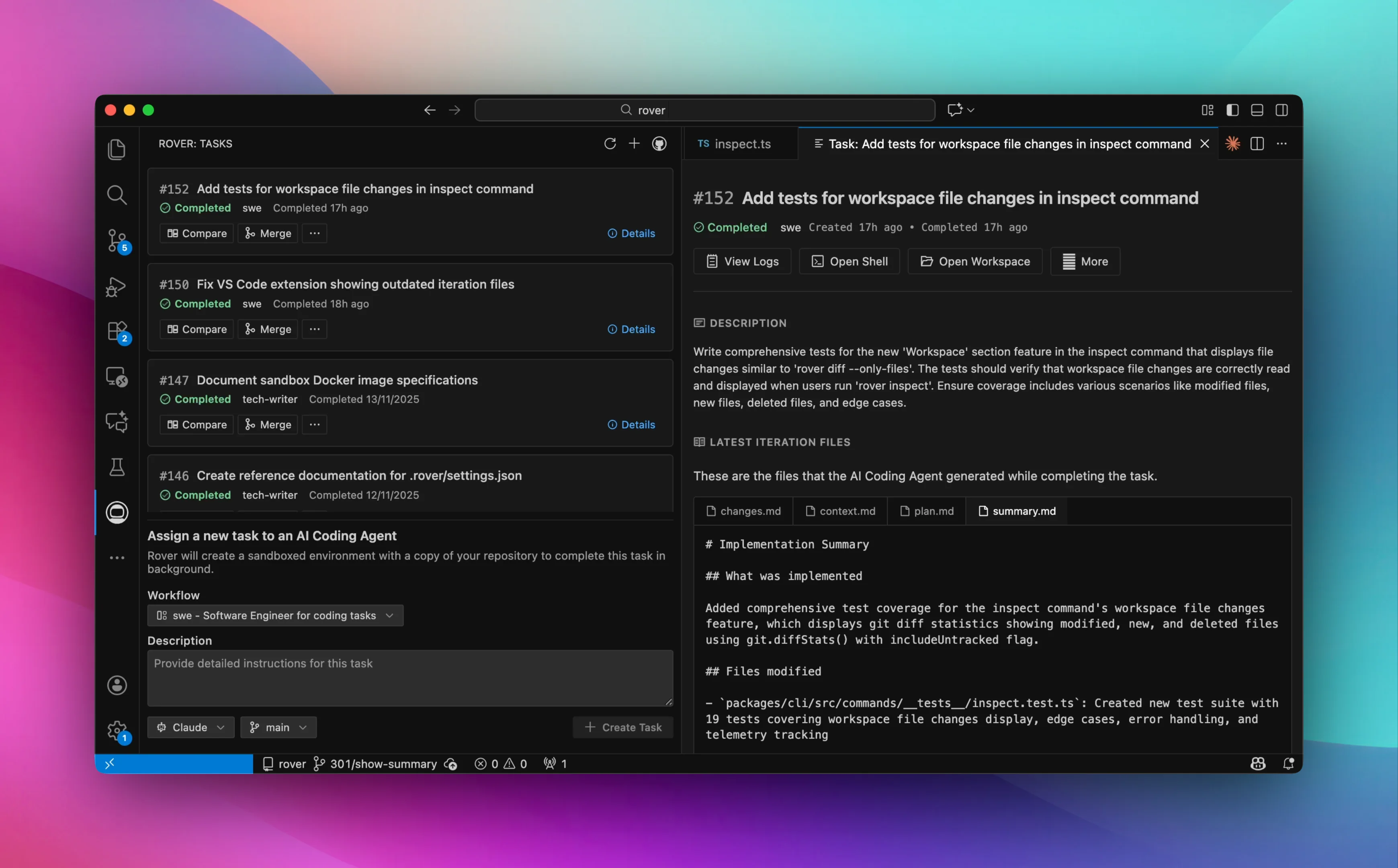
We all love the command line, but sometimes agents make many changes in your repository. A visual editor helps you read and process the information they generate.
Starting today, you can create tasks using different workflows, like the tech-writer workflow. The VSCode extension will ask you for the inputs the workflow requires to create the task.
Next steps
We’re excited to see Rover getting closer to your projects and ensuring agents get the environment they need. Better sandbox environments and new workflows give your agents more capabilities directly from your command line or IDE.
However, a few of our users mentioned that sometimes a Rover task can feel like a heavy process for quick changes. We hear you, so expect improvements in this direction in the upcoming weeks.
Join our community to stay connected and share your feedback:
- GitHub: github.com/endorhq/rover
- Social: Follow us on X, Mastodon, or Bluesky to stay up to date and share your experience
- Discord: Join the discussion in our Spaceship server!
Happy coding with Rover! 🚀
Ready to boost your AI coding agents?
Check out Rover on GitHub and the documentation to get started